Example models, open in the editor
Each one is a saved net with a content-addressed ID. A card opens the net together with one recorded question about it, computed in your browser with no model call; Open the canvas opens the net alone. The same kind of model is what sim.pflow.xyz builds from a description.
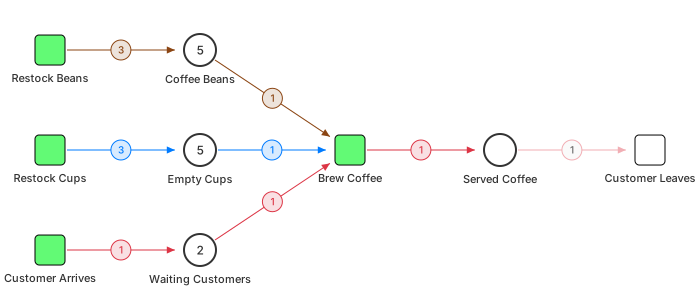
Coffee Shop
Weighted arcs encode recipes, conservation laws guarantee you never oversell a latte.
Opens to: it cannot get stuck: no deadlock in any of the 2,706 reachable states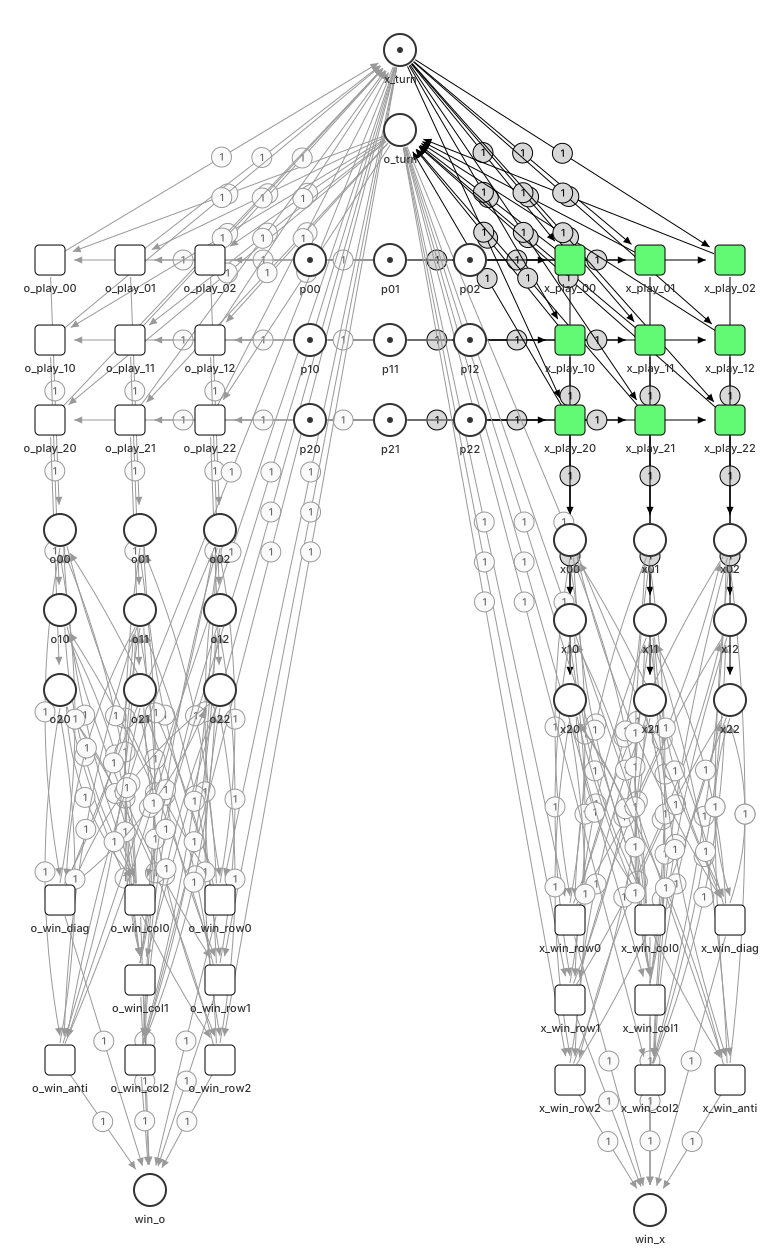
Tic-Tac-Toe
Every board position is a place. ODE heatmaps reveal optimal play from network topology alone.
Opens to: best play ends in a draw: exact search over 2,299 positions (a best-move report, not a heatmap)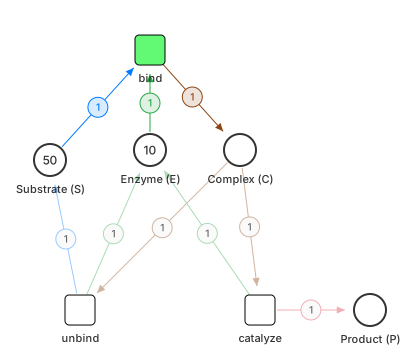
Enzyme Kinetics
Four places, three transitions — mass-action kinetics produce Michaelis-Menten curves automatically.
Opens to: substrate turning into product (ODE): the complex C peaks at 9.5 near t = 0.2; by t = 1, P is 9.3 and S has fallen from 50 to 31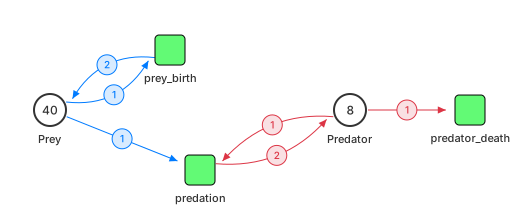
Predator-Prey
Lotka-Volterra dynamics — two species, three reactions, and the ODE solver draws the phase portrait.
Opens to: ODE trajectories, not a phase portrait: predators peak at 45 near t = 0.1 while prey fall from 40 to almost none

Calibrated what-ifs (sim.pflow.xyz)
Models already tuned to a known kind of system: open one, turn the knobs and see which one binds. No editor needed. To model your own, start at the top of the page.
Draw → Run → Prove
One model, three questions: what is it, what does it do, can it be audited.
Draw
Build state machines visually. Places, transitions, arcs: the model is a directed graph stored as JSON-LD with content-addressed identity.
Open the editor →Run
Run a calibrated what-if and see which knob binds. The model is seeded and repeatable, so the answer is checked knob by knob instead of being a confident guess.
sim.pflow.xyz →Prove
ZK circuits verify every transition is valid without revealing state. Groth16 proofs from net topology, so the model carries its own audit trail.
Further reading: ZK Petri nets →Take it with you
The engine and its vocabulary are open. Run them on your own machine, with no account and no network.
The engine, offline
Simulate, check and explore a net on your own machine. It runs as an MCP server for Claude, and as a WebAssembly package for the browser. The same engine runs in both.
@pflow-xyz/pflow-mcp →The ontology
The terms, patterns and definitions behind the models, as open data (CC0) you can browse, query and reuse.
ontology.pflow.xyz →Go deeper
The editor is the hands-on part. These explain why it works.
The book
A worked introduction to Petri nets: the formalism, the solvers, and the models above taken apart step by step.
book.pflow.xyz →The blog
Technical notes on Petri nets and the systems built on them.
blog.stackdump.com →ZK Petri nets
How a net's topology becomes a circuit, and what a proof of a valid transition does and does not show.
Read the post →Like a list comprehension, pflow starts from a description: say what the system is, and get a model you can run. Then ask it how it is put together, what happens over time, what can't change, what an agent should do, whether reality matches, and whether it is provably right. Under the hood, every model is a Petri net, so runs replay and proofs check.
Try a model on sim.pflow.xyz →